SubscriptionFlow App - Enable Subscriptions in Bundles
Optional — only needed if you sell product bundles using a bundle app.
This step is only needed if you sell product bundles using a bundle app.
To offer subscriptions on bundled products, turn on the
subscription toggle inside your bundle app so the bundle
can be sold as a subscription.
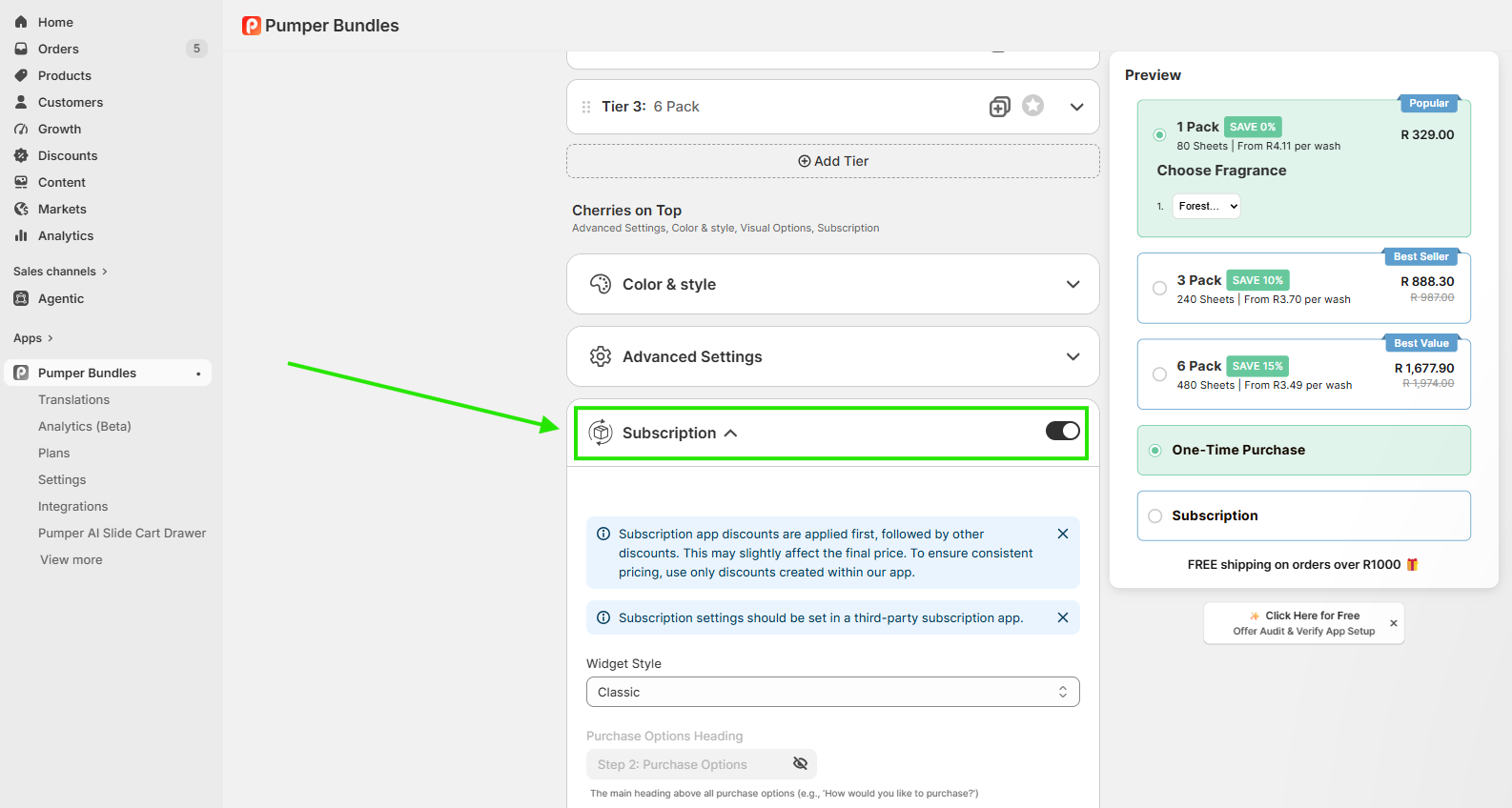
Open your bundle app and edit the bundle you want to offer on subscription.
Turn on the subscription toggle inside the bundle.
Save the bundle.
Figure 7: Turning on the subscription toggle inside a bundle app
Note: Skip this step if you don't use a bundle app.
The
subscription toggle only applies to bundles created through a supported
bundle app.
Support
If you need help at any step, email
onboarding@subscriptionflow.com
or reach out to the SubscriptionFlow App support team from your account
dashboard.
Comments
0 comments
Please sign in to leave a comment.